Trust Center
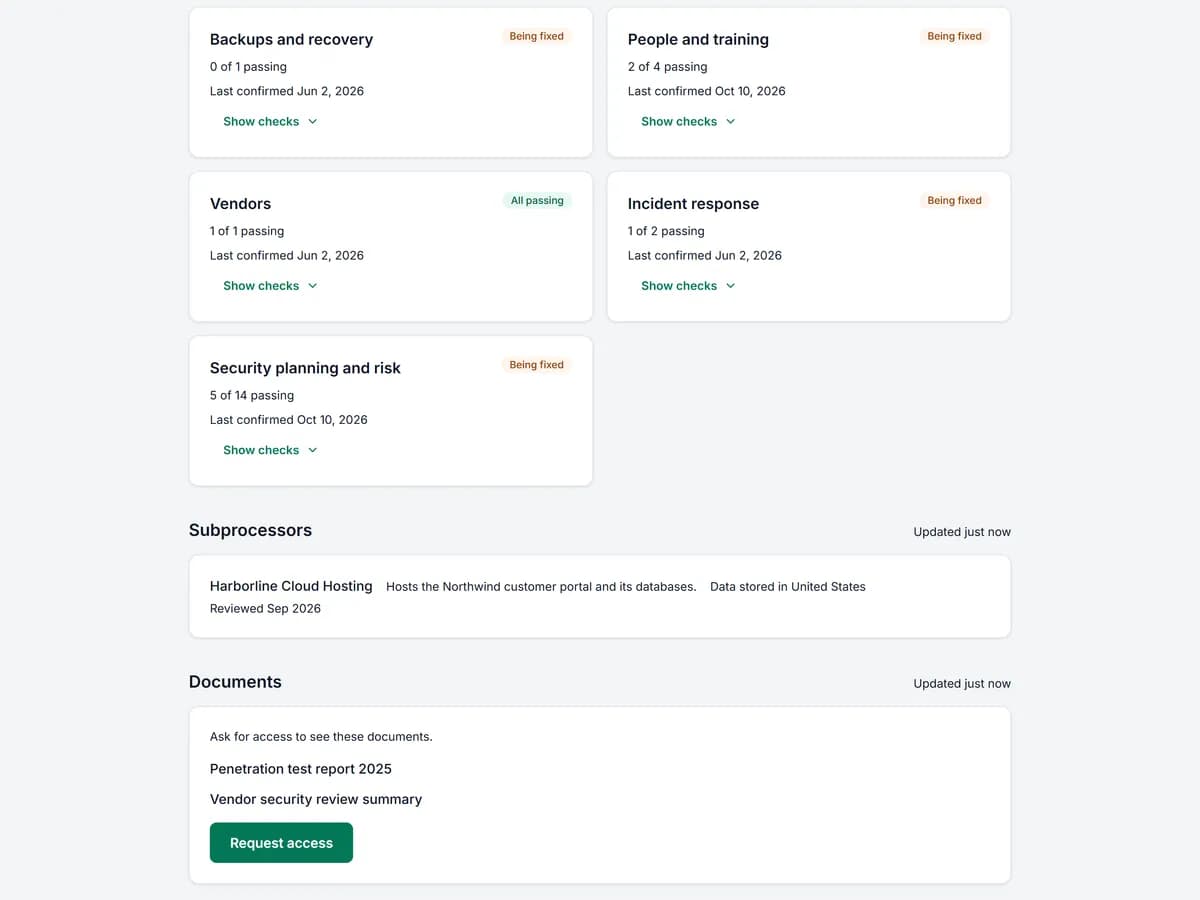
Essentials and upPublish a public security page built from the SOC 2 work you already did in SimpleAudit, so buyers can see how you protect their data without booking a call. When a buyer asks for a document, you decide. Only after you approve does SimpleAudit send them a private link to it. Your policies, reports and evidence stay under your control.
Updated
How it works
Choose what to publish
Pick the security areas and documents you are comfortable sharing. They come from the SOC 2 work already in your account.
Share your page
Send buyers your public Trust Center link, or add it to your website and sales emails. They can read it without an account.
Approve each request
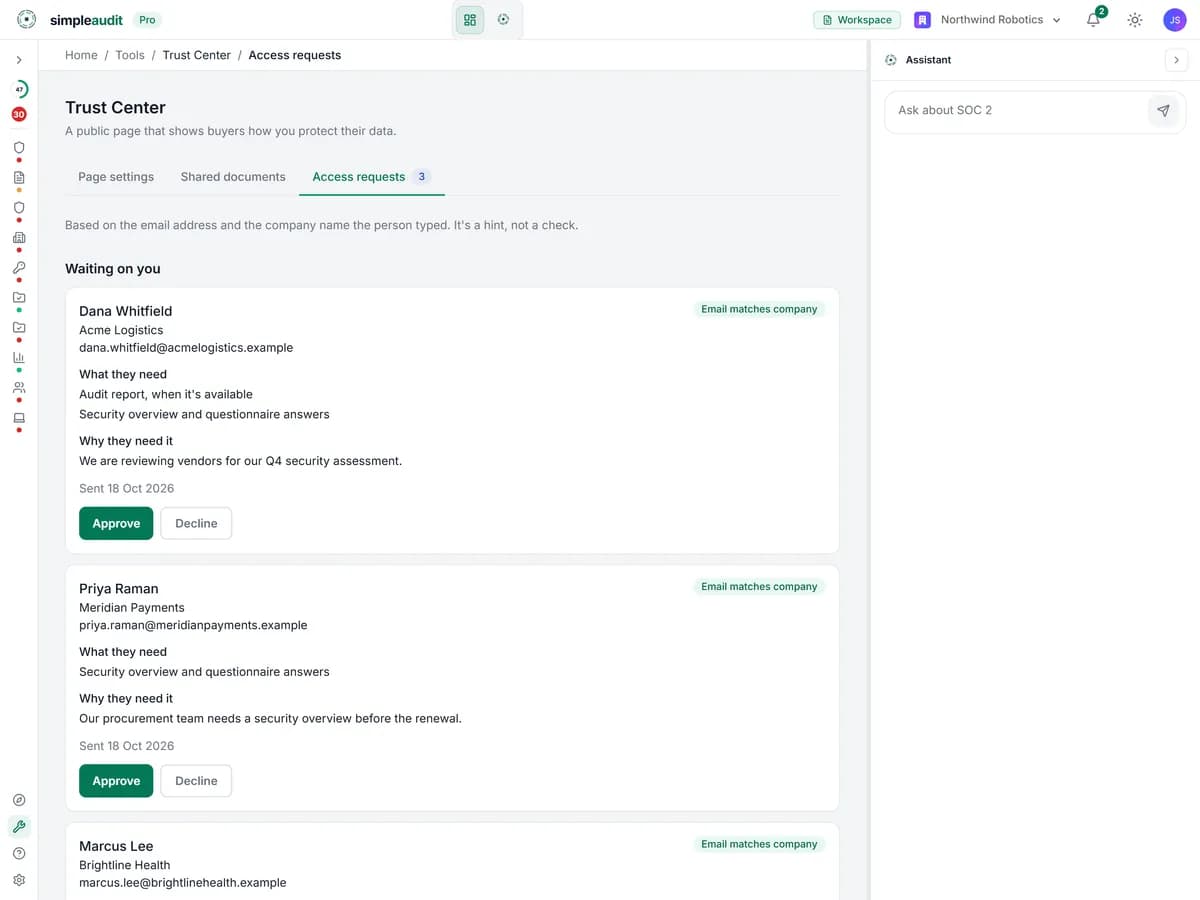
When a buyer asks for a document you get the request. Approve it and they receive a private link. Decline it and nothing is sent.
Key capabilities
Built from work you already did
The page draws on the policies, controls and security areas you already keep in SimpleAudit. You do not write the same answers twice or maintain a second tool.
Buyers request, you approve
A buyer who wants a SOC 2 report or a policy asks for it from your page. You see the request and approve or decline it. Nothing is shared until you say so.
Private links, not open downloads
Approved documents go out as a private link sent to that buyer, not as a public file anyone can find. You choose which documents are offered at all.
You choose what is published
Switch each security area and document on or off. Buyers see what you chose to publish, and nothing else from your account.
Fewer repeat questions
Buyers can answer many of their first questions from your page before they send a questionnaire, which saves your team the back and forth.
Why we built it this way
“Buyers want proof of your security before they sign, and handing documents over by email means losing track of who has what. The Trust Center gives them a page to start with, and gives you a yes or no on every document. You stay in control of what leaves your account.”
Joe, Founder
Ready to try Trust Center?
Included on Essentials and up. Start a 7-day free trial on Essentials or Pro to use Trust Center during your trial. No credit card required.